Difference Between Wireless and Bluetooth Headphones is that Bluetooth is a specific type of wireless technology, while wireless headphones can use Bluetooth, RF (Radio Frequency), IR (Infrared), or proprietary wireless systems. That means all Bluetooth headphones are wireless, but not all wireless headphones are Bluetooth. This is the core difference that affects compatibility, ease of use, audio latency, range, and real-world performance.
Choosing the right pair of headphones can be confusing, especially when terms like wireless and Bluetooth are used interchangeably. While both free you from tangled cables, they are not the same. Bluetooth is a type of wireless technology, but not all wireless headphones use Bluetooth.
Understanding this distinction helps you make an informed decision based on your lifestyle—whether you’re a gamer who needs low latency, a fitness enthusiast who values portability, a traveler who needs universal pairing, or an audiophile who cares about sound quality.
This detailed guide explains the key differences between wireless and Bluetooth headphones, how each one works, their advantages and limitations, and which type is best suited for your needs.
What Are Wireless Headphones?
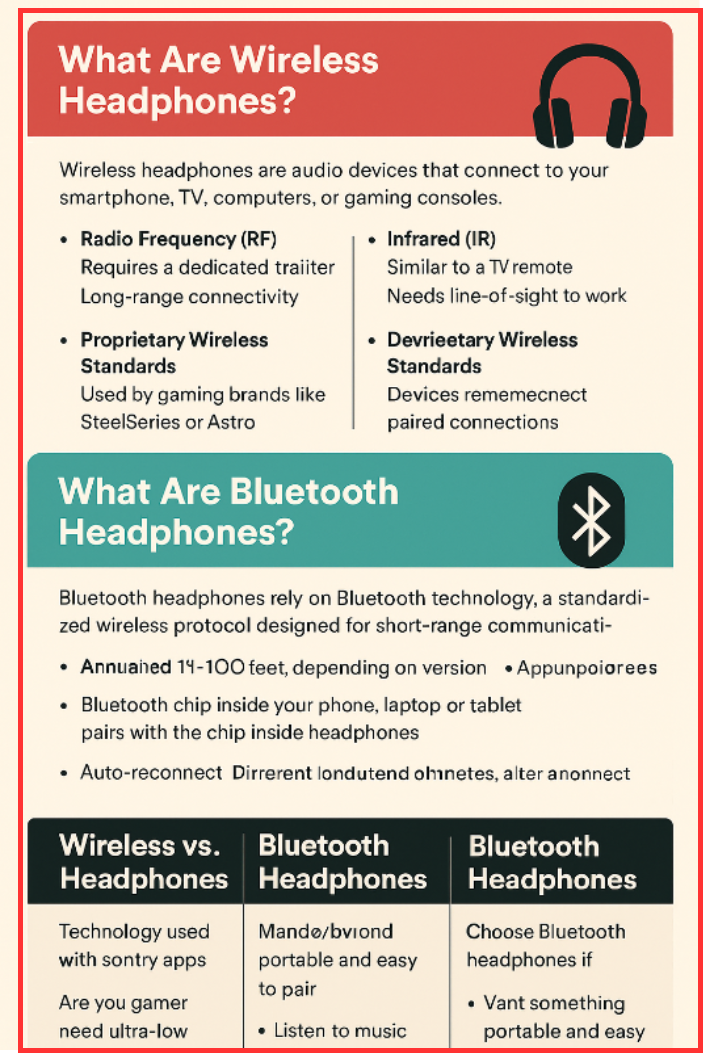
Wireless headphones are audio devices that connect to your smartphone, TV, computer, or gaming console without a physical cable. Instead of relying on Bluetooth alone, wireless headphones may use one of several transmission technologies:
1. Radio Frequency (RF)
- Requires a dedicated transmitter (often connected to a TV or console)
- Provides long-range connectivity—sometimes up to 300 feet
- Ideal for home entertainment systems
2. Infrared (IR)
- Similar to a TV remote
- Needs line-of-sight to work
- Offers low interference but very limited range
3. Proprietary Wireless Standards
- Used by gaming brands like SteelSeries or Astro
- Designed for ultra-low latency (almost zero audio delay)
How Wireless Headphones Work
The audio source sends signals via RF or IR waves to a receiver inside the headphones. Because these systems usually require a USB dongle or base station, they can deliver:
- Lower latency
- High-fidelity sound
- Stable connection for long distances
Where Wireless Headphones Are Most Useful
- Gaming (lag-free communication)
- Watching TV late at night
- PC work setups
- Professional audio monitoring
- Gyms and movement-heavy activities
What Are Bluetooth Headphones?
Bluetooth headphones rely specifically on Bluetooth technology, a standardized wireless protocol designed for short-range communication—typically up to 30–100 feet, depending on the version.
How Bluetooth Headphones Work
- A Bluetooth chip inside your phone, laptop, or tablet pairs with the chip inside the headphones.
- After pairing, audio is transmitted through 2.4 GHz radio waves.
- Devices remember paired connections, enabling auto-reconnect.
Why Bluetooth Headphones Are Popular
- No external adapter required
- Works with nearly every modern device
- Easy pairing
- Energy-efficient
- Portable and beginner-friendly
Bluetooth Codecs (Important for Audio Quality)
Bluetooth headphones support different codecs, which affect audio quality and latency:
- SBC – Basic, universal
- AAC – Great for iPhones
- aptX / aptX HD – Better sound, lower delay
- LDAC – High-resolution audio
Wireless vs Bluetooth Headphones: Key Differences
| Aspect | Wireless Headphones | Bluetooth Headphones |
| Technology Used | RF, IR, or proprietary wireless systems | Bluetooth wireless protocol |
| Built-In Support | Often requires a USB dongle or base station | Bluetooth is already built into phones, laptops, tablets |
| Compatibility | May only work with specific transmitters or brands | Works with most modern devices universally |
| Range | 100–300 feet depending on RF technology | 30–100 feet depending on Bluetooth version |
| Latency (Audio Delay) | Very low latency, ideal for gaming and TV | Moderate latency unless using aptX LL or LC3 |
| Audio Quality | Can offer higher fidelity due to proprietary bandwidth | Depends on Bluetooth codecs |
| Ease of Use | Setup required; sometimes less portable | Extremely user-friendly and portable |
| Interference | Less interference indoors (with RF models) | Slight interference in crowded wireless environments |
| Use Cases | Gaming, home theater, PC setups | Music, calls, workouts, travel |
Advantages of Wireless Headphones (Non-Bluetooth)
- Longer range
- Superior sound quality (in many RF models)
- Minimal audio delay
- Excellent for watching movies or gaming
- Strong stable connection
Advantages of Bluetooth Headphones
- Works with nearly every device
- Highly portable
- No additional hardware required
- Energy efficient
- Easy pairing and auto-connect features
- Ideal for daily commuting, calls, and music
Limitations of Wireless Headphones
- Often require a dongle
- Less portable
- Compatibility limited to specific systems
- Can be costly
Limitations of Bluetooth Headphones
- Potential audio delay (unless using low-latency codecs)
- Possible interference in crowded Wi-Fi environments
- Audio quality depends on codec and device support
Which One Should You Choose?
Choose Wireless (RF/Proprietary) Headphones if:
- You are a gamer and need ultra-low latency
- You watch TV frequently and want lag-free sound
- You want long-range connectivity
- You prefer consistent, interference-free performance
Choose Bluetooth Headphones if:
- You want something portable and easy to pair
- You listen to music on the go
- You take calls frequently
- You don’t want to use extra adapters
- You want compatibility across phones, laptops, smart TVs, and tablets
Final Thoughts
Wireless and Bluetooth headphones both free you from the hassle of wires, but they work differently and serve different purposes. Bluetooth headphones offer convenience and universal compatibility, while wireless RF or proprietary headphones provide superior range and lower latency.
Understanding these differences will help you choose the right audio device that fits your lifestyle, whether it’s for gaming, workouts, movies, travel, or everyday use.
Read Next: